Logitech Wave Keys Review: Zero Wrist Pain, Cushioned Rest & 3-Year Battery
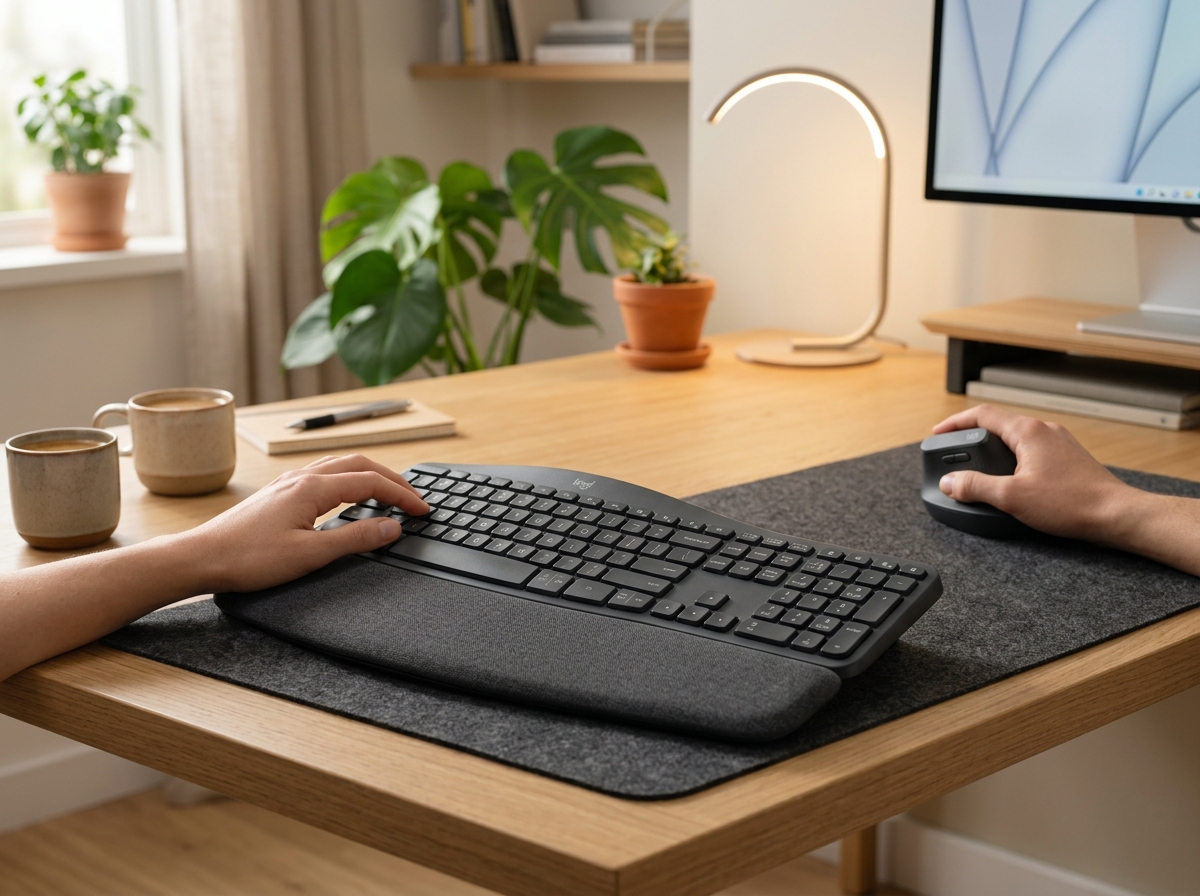
* Product image is a representative illustration for editorial identification. Official imagery is subject to manufacturer copyright.
Logitech Wave Keys Wireless Ergonomic Keyboard
"The Logitech Wave Keys eliminates wrist fatigue and typing strain with its gentle curved layout and ultra-plush memory foam palm rest, offering ergonomic relief with practically zero learning curve."
The Good (Pros)
- Gentle wave-shaped keyframe naturally aligns forearms and wrists without painful split-keyboard learning curve
- Plush 3-layer memory foam palm rest provides 57% more wrist support throughout grueling workdays
- Compact footprint keeps mouse closer to your body, dramatically reducing shoulder reaching strain
- Staggering 3-year battery life on two standard AAA batteries with zero recharging anxiety
- Seamless Easy-Switch pairing across up to 3 computers or tablets via Bluetooth and Logi Bolt
- Tactile, whisper-quiet scissor-switch membrane keys won't disturb open-plan coworkers
The Bad (Cons)
- Palm rest is permanently integrated and cannot be detached for ultra-shallow desks
- Lacks backlighting (requires ambient office desk illumination for night work)
- Not a mechanical switch keyboard (uses membrane tactile scissor mechanisms)
Millions of office workers and programmers suffer from daily wrist stiffness, forearm tension, and carpal tunnel aches caused by typing on flat, unnatural laptop keyboards. Yet traditional split-ergonomic keyboards like the massive Ergo K860 carry a steep learning curve that frustrates touch typists.
The Logitech Wave Keys ($59.99) represents the ergonomic sweet spot: it introduces a gentle wave-contoured keyframe and an ultra-plush 3-layer memory foam palm rest into a compact footprint that feels completely natural within minutes. We spent a full month using the Wave Keys for intensive writing, coding, and spreadsheet tasks to determine if it truly banishes desk-bound wrist fatigue.
Looking for a full ergonomic desk overhaul? Pair the Wave Keys with the Logitech Lift Vertical Mouse to place both hands and wrists into a natural, handshake-neutral posture.
1. The Wave Design: Instant Ergonomic Relief Without the Learning Curve
Unlike radical split keyboards that physically separate into two halves, the Wave Keys keeps your hands unified while curving the key heights:
- Natural Wave Curve: Keys rise in height toward the center, allowing your fingers to rest in a relaxed, curved posture rather than forcing your forearms into unnatural inward pronation.
- Immediate Familiarity: Most users reach their normal 80-100 WPM typing speed within 15 minutes of unboxing, completely bypassing the frustrating weeks-long re-training required by aggressive split boards.
- Compact Layout: By trimming unnecessary dead space while retaining a full dedicated number pad and arrow cluster, the Wave Keys lets you place your mouse significantly closer to your body, eliminating chronic right shoulder reaching strain.
+-----------------------------------------------------------+
|          LOGITECH WAVE KEYS ERGONOMIC HARDWARE SPECS      |
+----------------------+------------------------------------+
| Layout Type          | Compact Wave-Curved with Numpad    |
| Palm Rest Core       | 3-Layer (Memory foam + Support HD) |
| Battery Life         | Up to 36 Months (2x AAA Batteries) |
| Wireless Range       | Up to 10 meters (33 ft)            |
| Multi-Device Pairing | Easy-Switch across 3 Devices       |
| Key Mechanism        | Quiet Membrane Tactile Scissor     |
| Tilt Legs            | +4 degree reverse ergonomic tilt   |
+----------------------+------------------------------------+
2. 3-Layer Cushioned Palm Rest & Reverse Tilt Legs
Your wrists are supported by a luxuriously soft wrist cushion engineered with three distinct layers:
- Top Surface Layer: Smooth, breathable, stain-resistant textile that cleans easily with a damp microfiber cloth.
- Memory Foam Middle Layer: Adapts dynamically to your wrist anatomy, dissipating pressure points away from delicate median nerves.
- High-Density Base Layer: Provides firm structural support to keep hands elevated at the perfect ergonomic angle.
Beneath the board, +4-degree reverse tilt legs elevate the front of the keyboard rather than the back, ensuring your wrists remain in a flat, neutral line even when typing from a standing desk.
3. Seamless Multi-Device Connectivity & Logi Options+
The Wave Keys is built for modern hybrid multi-device professionals:
- Triple Device Switching: Dedicated Easy-Switch keys (F1, F2, F3) allow instant toggling between a Windows desktop, an M3 MacBook Pro, and an iPad.
- Dual Wireless Freedom: Connect via universal Bluetooth Low Energy or plug in the included secure Logi Bolt USB receiver for zero-interference corporate Wi-Fi environments.
- Logi Options+ Smart Actions: Program shortcut keys to open entire browser workspaces, trigger Zoom mute macros, or paste boilerplate emails with a single keystroke.
- 3-Year Battery Dominance: Powered by two standard AAA batteries, you can use the keyboard 8 hours a day for over three years before ever thinking about battery replacement.
4. Pros & Cons Summary
Why We Love the Logitech Wave Keys
- Affordable Wrist Health: At $59.99, it offers medical-grade ergonomic relief at an accessible price.
- Zero Typing Hesitation: Feels instantly comfortable for touch typists without dropping words-per-minute speed.
- Compact Shoulder-Saving Footprint: Keeps your mouse within natural arm reach to prevent neck and shoulder knotting.
Points of Consideration
- No Backlit Keys: Requires room ambient light; not suited for dark-room night owl typing.
- Fixed Wrist Rest: The cushion cannot be detached if your computer desk tray has shallow depth.
Final Verdict: Is the Logitech Wave Keys Worth $59.99?
If you spend 6 to 10 hours a day typing at a desk and want to prevent or soothe wrist and forearm aches without learning a complex split keyboard, the Logitech Wave Keys is the smartest, most comfortable $60 office upgrade you can buy.
Logitech Wave Keys Wireless Ergonomic Keyboard
Wave-Curved Keyframe · 3-Layer Memory Foam Rest · 3-Year Battery · Multi-OS
🔥 Check Today’s Deal on Amazon
Logitech Wave Keys Wireless Ergonomic Keyboard Key Specs
| Layout Architecture | Compact Wave-curved keyframe with integrated numeric keypad |
|---|---|
| Palm Rest | Integrated 3-layer memory foam with spill-resistant fabric |
| Connectivity | Bluetooth Low Energy & Logi Bolt USB Receiver |
| Battery Life | Up to 36 months (2x AAA batteries included) |
| Dimensions | 375.9 mm W x 218.9 mm D x 30.5 mm H; Weight: 750 g |
| Compatibility | Windows, macOS, iPadOS, ChromeOS, Linux, Android |
| Customization Software | Logi Options+ (Smart Actions & programmable keys) |
Ready to upgrade your gear?
Check current stock, verified customer ratings, and fast Prime delivery.
Related & Alternative Gear
Compare with other top-rated products in Tech Gadgets before you decide.
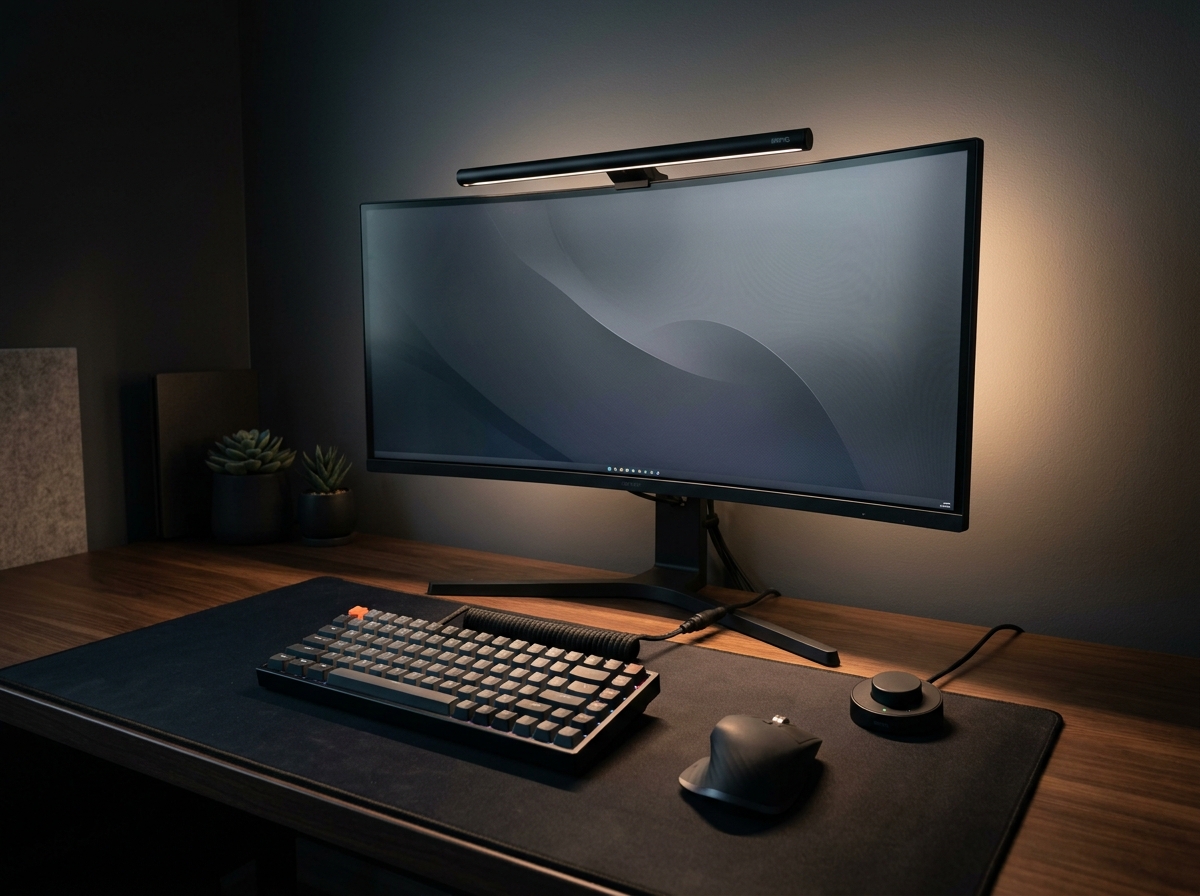
BenQ ScreenBar Halo 2 LED Monitor Light Bar
The BenQ ScreenBar Halo 2 sets the gold standard for workstation lighting. With its patented asymmetric optical design that casts zero reflection on glossy displays, an ambient rear backlight that balances contrast to eliminate eye fatigue, and an ultra-responsive wireless rotary controller, it justifies its premium price tag for late-night productivity.
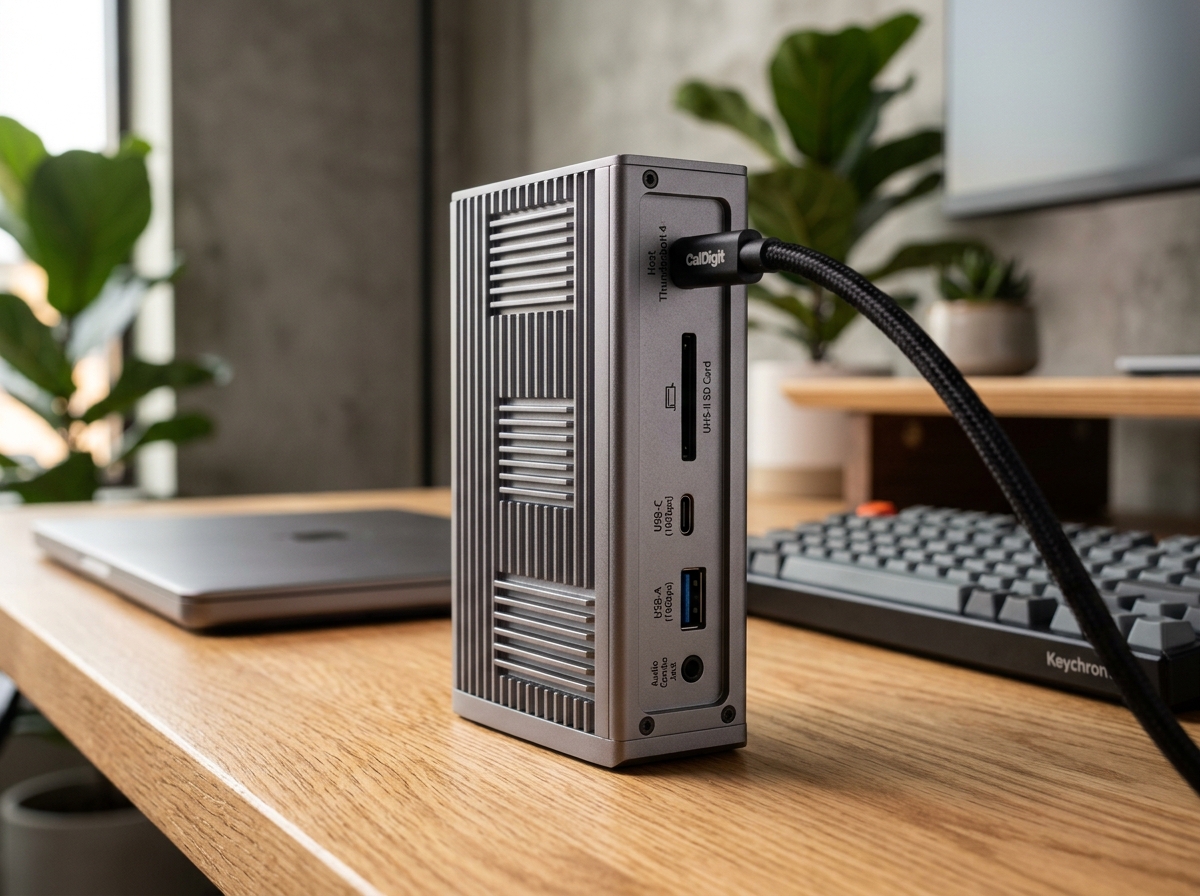
CalDigit TS4 18-Port Thunderbolt 4 Dock
The CalDigit TS4 is undeniably the benchmark docking station on the market. With an astonishing 18 ports, robust 98W laptop charging, rock-solid 2.5GbE networking, and front-facing 20W high-speed USB-C charging, it turns any MacBook Pro or Windows Thunderbolt laptop into a zero-compromise desktop powerhouse via a single cable.
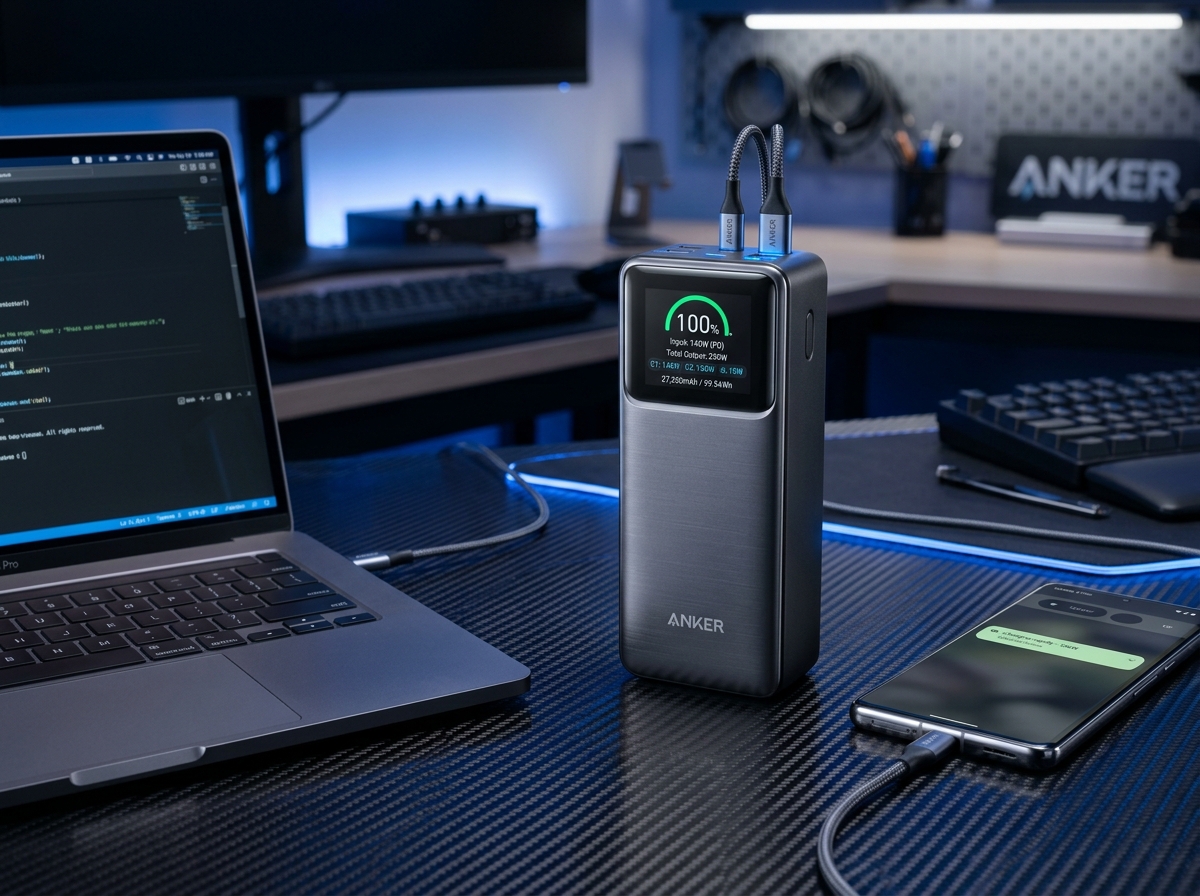
Anker Prime 27,650mAh 3-Port 250W Power Bank
The Anker Prime 250W represents the undisputed pinnacle of portable power, delivering full 140W USB PD 3.1 laptop juice, real-time wattage telemetry on a vivid color display, and maximum TSA-legal capacity.
SpecOfTheDevil is a participant in the Amazon Services LLC Associates Program. Clicking links may earn an affiliate commission at no extra cost to you.