Logitech Lift vs MX Master 3S: Ergonomic Pain Relief vs Productivity Powerhouse
Logitech Lift Vertical Ergonomic Mouse vs Logitech MX Master 3S Wireless Mouse
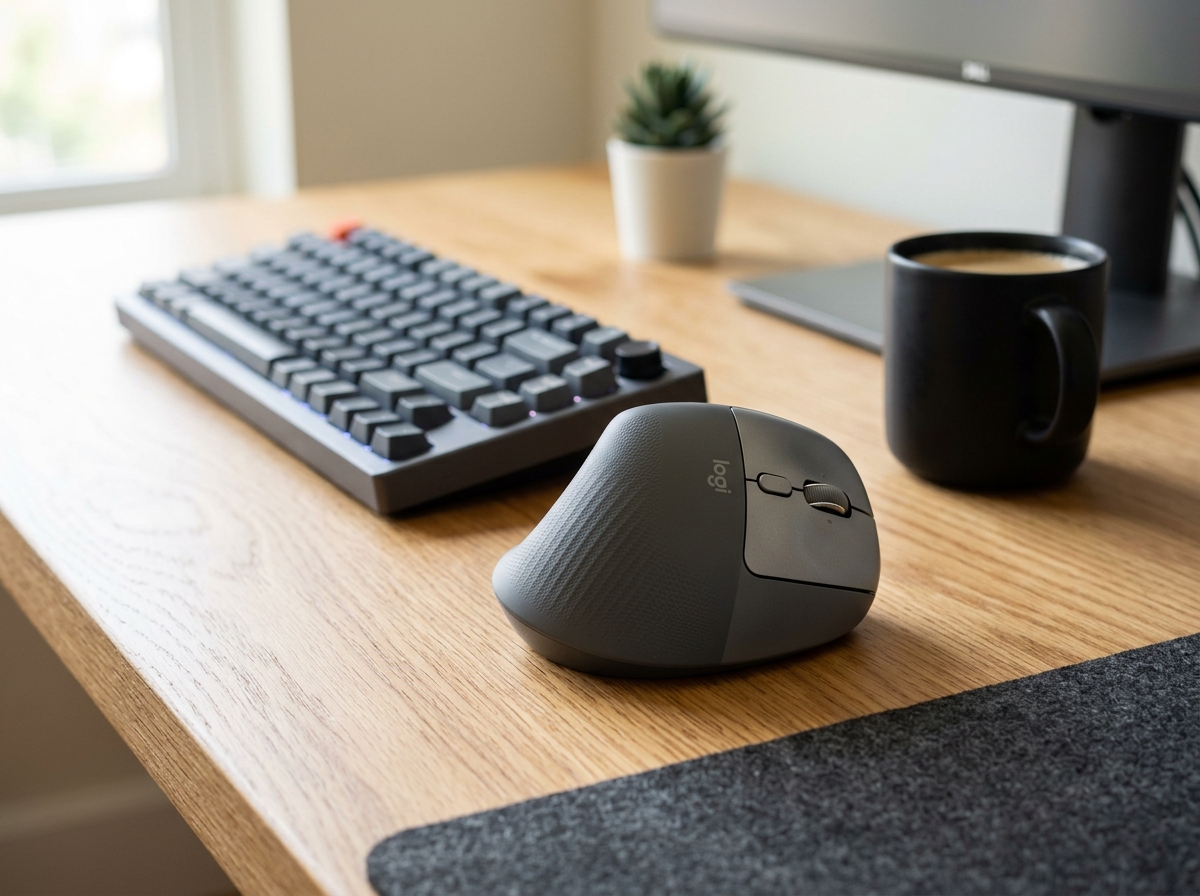
Logitech Lift Vertical Ergonomic Mouse
- ✓ 57-degree handshake posture completely eliminates wrist strain and forearm pronation
- ✓ Custom-proportioned chassis fits small to medium palms with zero reaching
- ✓ Whisper-quiet acoustic switches dampen clicking noise by over 90 percent
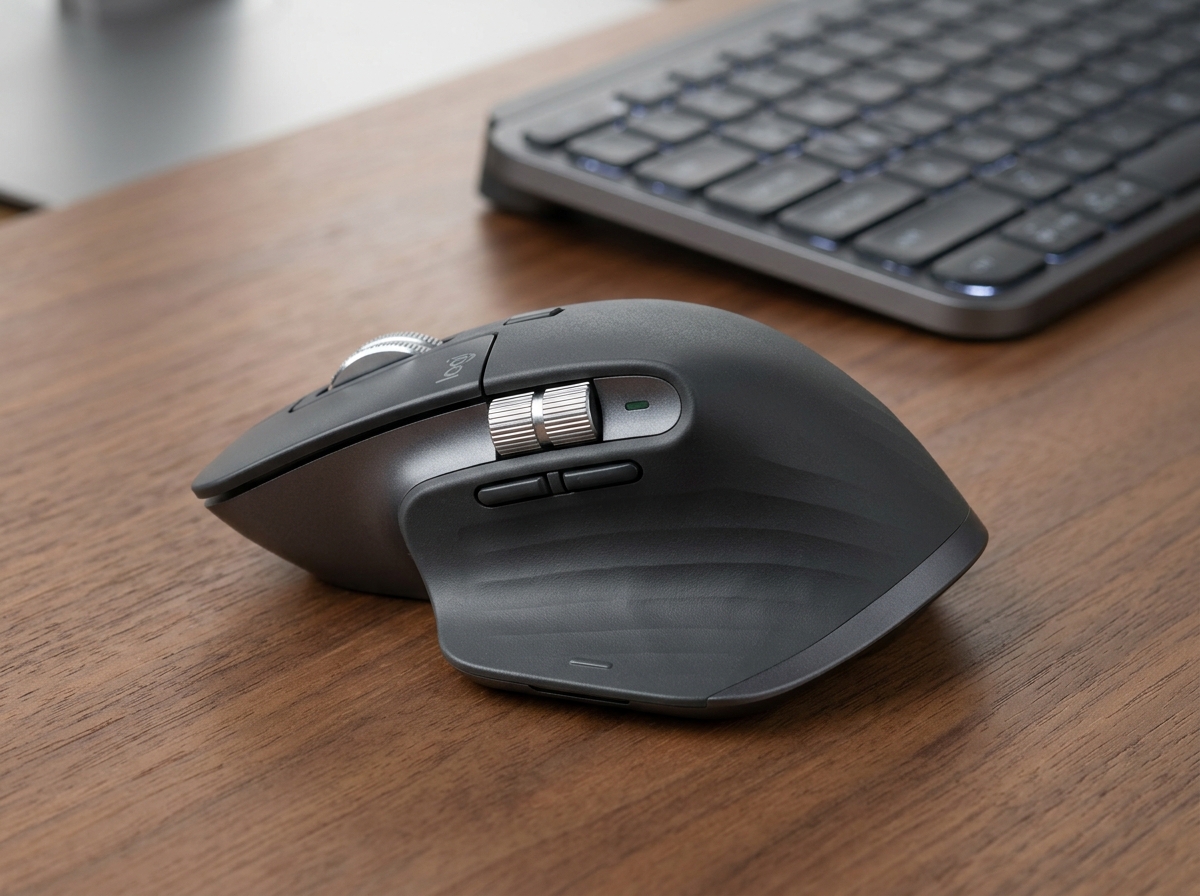
Logitech MX Master 3S Wireless Mouse
- ✓ Electromagnetic MagSpeed wheel blazes through 1,000 spreadsheet rows in a single second
- ✓ Secondary machined metal thumb wheel for effortless horizontal video timeline scrubbing
- ✓ 8,000 DPI Darkfield optical sensor tracks flawlessly on transparent glass tabletops
The Logitech Lift is the clear winner for anyone suffering from wrist ache and carpal fatigue, while the MX Master 3S remains the undisputed champion for multi-monitor power users needing lightning-fast scrolling and thumb controls.
Side-by-Side Technical Comparison
Direct spec-for-spec breakdown
| Feature | Logitech Lift Vertical Ergonomic Mouse | Logitech MX Master 3S Wireless Mouse |
|---|---|---|
| Ergonomic Orientation | WINNER 57° Vertical Handshake Angle | Horizontal Sculpted Thumb Cradle |
| Scroll Wheel Mechanism | Magnetic SmartWheel (Line & Free) | WINNER Electromagnetic MagSpeed (1,000 lines/sec) |
| Secondary Horizontal Wheel | None (Side button + Wheel combo) | WINNER Dedicated Machined Thumb Wheel |
| Sensor Tracking Resolution | 4,000 DPI Optical (Desk/Pad) | WINNER 8,000 DPI Darkfield (Glass-Tracking) |
| Click Sound Level | Quiet Click (90% Dampened) | Quiet Click (90% Dampened) |
| Target Hand Size | WINNER Small to Medium Hands (< 19 cm) | Medium to Large Hands (≥ 19 cm) |
| Power Source | 1x AA Battery (24 Months) | USB-C Rechargeable (70 Days) |
| Price & Value | WINNER $69.99 | $99.99 |
Choosing between the Logitech Lift Vertical and the Logitech MX Master 3S comes down to an essential workplace debate: Do you prioritize complete ergonomic wrist pain relief, or do you demand the ultimate multi-monitor productivity engine?
Both mice share Logitech’s cutting-edge Logi Bolt connectivity, whisper-quiet 90% sound-dampened clicks, and seamless cross-computer Flow software. Yet their physical ergonomics and day-to-day workflow philosophies could not be more divergent. Here is how they stack up in head-to-head testing.
1. Ergonomics & Hand Posture: 57° Handshake vs. Sculpted Palm Support
- Logitech Lift: The Lift is built from the ground up around a 57-degree vertical handshake angle. By lifting the thumb side of your palm upward, it releases muscular compression in your wrist and completely stops your forearm bones (radius and ulna) from crossing over each other. If you battle tendonitis, carpal tunnel syndrome, or numbness after working, the Lift delivers immediate, life-changing therapeutic relief.
- Logitech MX Master 3S: The MX Master 3S uses a traditional horizontal architecture with a heavily sculpted ergonomic thumb flare. While it cradles the hand far better than a flat mouse like the Apple Magic Mouse, your hand still rests largely flat against the desk surface. For large hands that experience fatigue rather than acute wrist pain, the palm support is luxurious—but it will not solve severe carpal pronation.
2. Scrolling Mechanics & Controls: SmartWheel vs. 1,000-Line MagSpeed
- Logitech Lift: Equipped with the magnetic SmartWheel, the Lift offers precise line-by-line detent clicks for editing code and automatically disengages the ratchet when you spin fast. However, it lacks a dedicated thumb wheel; navigating wide horizontal Excel spreadsheets requires holding the lower side button while scrolling the top wheel.
- Logitech MX Master 3S: This is where the MX Master 3S justifies its flagship price tag. Its machined steel MagSpeed electromagnetic scroll wheel shifts seamlessly between micro-ratchet steps and near-frictionless free spin, blazing through 1,000 rows of data in a single second. Combined with its dedicated, thumb-operated horizontal metal cylinder, video timeline scrubbing and spreadsheet auditing are vastly faster on the MX Master.
3. Sensors, Tracking Surfaces & Battery Longevity
- Logitech Lift: The 4,000 DPI optical sensor tracks reliably on wood, laminate, and fabric mouse pads. Power is supplied by a single included AA battery that delivers up to 24 months of daily office use, eliminating charging cables entirely from your desk setup.
- Logitech MX Master 3S: Packs an upgraded 8,000 DPI Darkfield sensor that tracks flawlessly on clear glass conference room tables and high-gloss countertops. It is powered by an internal lithium pack that charges via front USB-C, providing 70 days per charge and offering 3 hours of juice from a 1-minute emergency top-up.
Final Verdict: Which One Should You Buy?
🏆 Buy the Logitech Lift if:
- You suffer from wrist soreness, tendonitis, or carpal tunnel discomfort and need the therapeutic 57-degree handshake posture.
- You have small to medium hands (palm length under 7.5 inches / 19 cm) that feel overwhelmed by giant ergonomic mice.
- You want an ultra-quiet, portable mouse with 2-year battery life for under $70.
🥈 Buy the Logitech MX Master 3S if:
- You are a programmer, financial analyst, video editor, or designer who spends hours scrubbing wide horizontal timelines and thousand-row spreadsheets.
- You have medium to large hands and want the industry-leading 1,000-line MagSpeed wheel and dedicated thumb roller.
- You work frequently on glass tables or multi-monitor 4K setups where 8,000 DPI precision is essential.
SpecOfTheDevil is a participant in the Amazon Services LLC Associates Program. Clicking links may earn an affiliate commission at no extra cost to you.